Showing posts with label 3 Stars. Show all posts

Saturday, March 16, 2019

AlarmMon (Alarm Clock)

AlarmMon (Alarm Clock)
     Having trouble jump starting your brain in the morning?  Do you have a tendency of just slapping the snooze button and ignoring the alarm all together?  This alarm application finds a way to deal with that issue.

     I really like the concept behind the application which is an alarm that requires you to complete a mini game in order to shut it off.  In doing this you prove that you are at least awake enough to perform a simple task.  By getting your conscious mind working a bit, it makes it easier for you to wake up.  The app has potential, but only if you use it correctly.

     The app allows you to create multiple alarms for multiple times of the day or days of the week.  In creating a new alarm you can choose the mini game, the time of day, the day or days of the week it goes off (For reoccurring alarms), whether you want sound or vibration (or both), assign an MP3, choose whether to allow Snooze or not, choose a colour and add a memo.

     The app has tons of mini games to choose from and you can try them out before assigning them to an alarm.  You will need to download the mini games as there are only 2 installed with the basic app.  However, many of the mini games are free.  The ones that cost money are mostly the ones for pop music groups/celebrities.  These special celebrity mini games can be obtained either through in app purchase or saving up your points.  Users get points for every time they complete a mini game after an alarm goes off.  However, there is of course a daily limit for this (I believe it is 6 points a day).  Visiting the Shop allows you to see the mini games that cost points or money.  It also has a charging button to get free points (Though I found this does not work.  I followed the steps but no points were given).


     Different mini games may offer different sounds for the alarm.  Of course users can also assign their own MP3 sounds.  I found the sound without MP3 is just the same sound one might hear when they get a message on their phone.  it repeats over and over every few seconds, but it may be pretty easy to miss.  One MP3 I noticed was quite noisy and I feared using this might startle someone awake which isn't really good for your heart.  However, for those who sleep through alarms easily, this might be more practical.  For light sleepers like myself, it may just induce a heart attack.

     Once you unlock your phone (If it is locked) after the alarm goes off, the mini game begins.  The games are quite cute and simple and could easily be used for children or adults.  They feature simple tasks such as kissing someone until it wakes them up, dodging punches and punching back (Boxing style, not a street brawl), finding characters hidden in an area, repeating a pattern, etc.


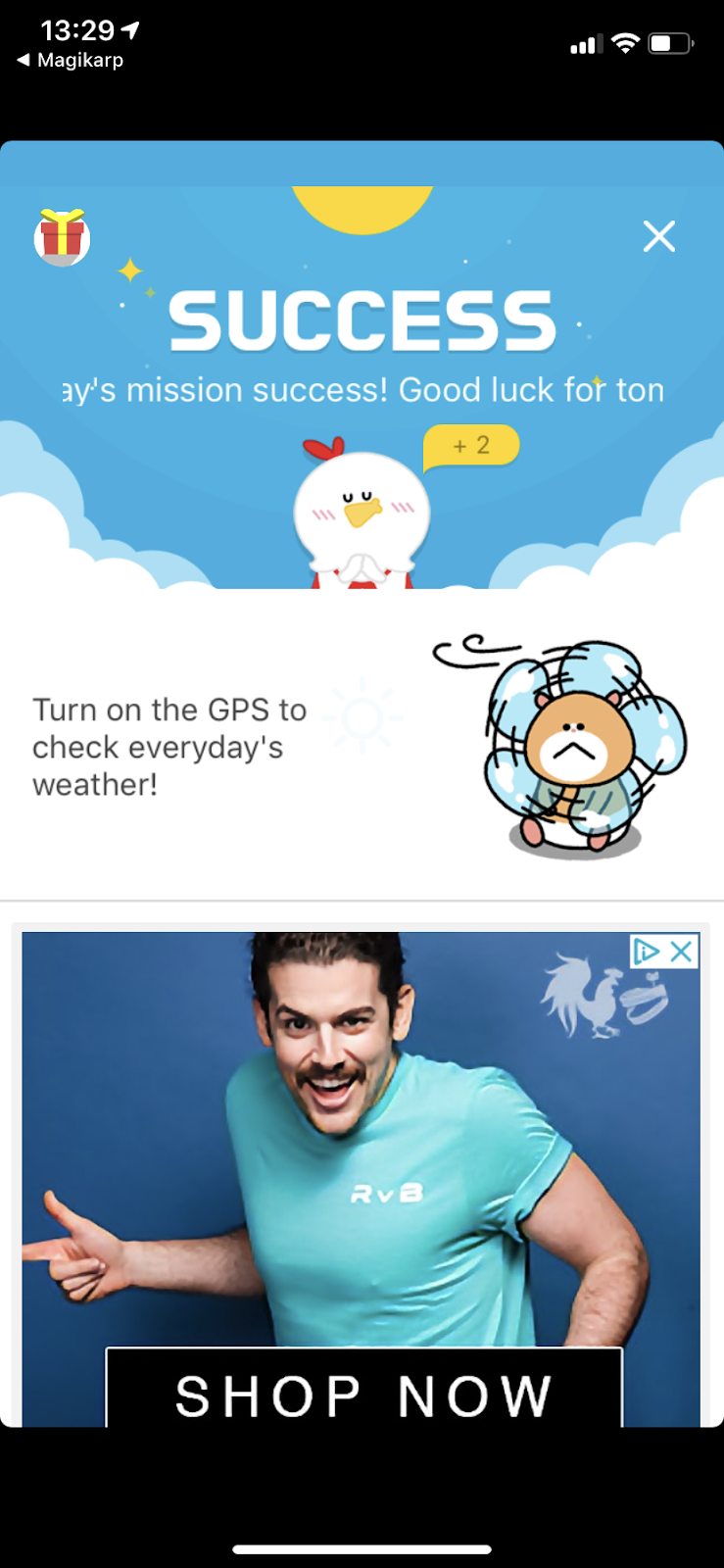
     When you complete the mini game and the alarm turns off (It continues until the mini game is completed), you are taken to a page that gives you your local weather, an ad (Unless you remove the ads) and some recent news feed stuff.  however, for me, the weather did not work.  I had it turned on in the settings and gave it access in my phone settings.  I troubleshot this a lot turning settings on and off, looking up information, closing, opening the app, uninstalling, reinstalling...  It just would not work.  This is disappointing to me and certainly affects the point value I give to this application as far as rating it goes.

     The app also has a Quick Alarm function that will choose a random mini game for you.  it is a great way to set up an alarm for a short nap (Say an hour).

     There are other options the application gives you for further customisation as well.  The last icon tab on the bottom of the app (Circle with 3 dots) will take you to a place to customise your profile, check your point history, read the FAQ, check to see if you have coupons and most importantly, it gives you access to Alarm Functions.

     In the alarm functions are users can toggle notifications, delete alarms and alarm history, sync alarms, choose whether or not to display the weather in Fahrenheit, display time in 24 or 12 hours, manually set time, gradually increase sound (Dangerous, it gets loud very quickly), turn off alarms without playing mini games (Thus making the entire purpose of the application pointless), turn on Low Power Mode (uses device settings for sound volume, vibrate, etc), toggle the Snore Checker (uses your microphone to see if you snore... eats up battery) redownload previous purchases (Associated with your account) or turn on sleep inducing music to help you sleep.

     Users can click the calendar icon on the main area of the app to see what alarms they have previously had.  It tells them how long it took them to complete as well as when it went off and what game they chose.


     The app does have ads but users can choose to pay to turn them off.  The annoying part about this is that the ad removal is temporary, even though you pay for it.  You can pay to remove ads for 30 days (0.99USD) or one year (8.99USD).  The ads are a banner toward the bottom of the app that is always there, a large square ad on the weather/news screen after an alarm, and an occasional pop up ad after an alarm is completed.  It honestly seems like a lot of ads for an alarm app.  I also feel that a one time ad removal payment would be a better option.

     One more issue is that if anything interferes with the alarm, it will not go off.  This means if a phone call, message, notification, etc happens at exactly when the alarm is meant to go off, the alarm does not go off.  Also opening the app at precisely the time the alarm is meant to go off can override the alarm.

     Due to the ads and lack of some functionality the app is supposed to have that simply does not work, I can't give this full marks.  It is a cute application though.  If users make sure to use the sound (not just vibrate), remove the snooze option and choose to sit up to play the mini game (This makes it easier to wake up.  Playing while continuing to lay comfortably can make you simply fall back asleep), I believe this app could be a very helpful tool for waking up in the morning.
Rating: 3/5
  • Free
  • Seller: Malang Studio Co. Ltd
  • Category: Lifestyle
  • Size: 68.1 MB
  • Languages: English, Arabic, German, Indonesian, Japanese, Korean, Portuguese, Russian, Simplified Chinese, Spanish, Thai, Traditional Chinese, Turkish
  • Copyright: © malang studio
Rated 4+

Tuesday, February 5, 2019

Weather Apps

Weather Apps
     So, this review will be for 3 different weather apps in one post.  I downloaded all of these while looking for a cute weather app.  I wanted to see if any of them would be able to replace the default weather app I usually use.


かりんの天気予報 (Karin Weather Forecast)
     I thought this app would be similar to an app that is no longer available called Moe Weather.  I was never able to use the app but it had a character read the local weather for you.  I can't really compare the two since I never used the Moe one but that was what inspired me to download this app.

     The Karin character featured in the app is cute.  However, there is nowhere in this app to set your location.  I assume it uses your current GPS and only uses locations in Japan.  Since I am not in Japan... this did not work.  It doesn't even give you the Japanese weather if you're curious to know what the weather is in Japan.  I can only assume you have to be in Japan for the app to work at all.

     There is a scroll bar on the side to make Karin smaller or bigger so you can see the map behind her.  She reacts when you tap on her but she does not make any noises.  Putting your finger on the screen and dragging it around will result in her following your finger movement with her head.  Users can also select an outfit for her from the settings menu in the top right.  The options are a Gothic Lolita costume, and two uniforms in pink or blue.

     The translation for the options menu is as follows:
Sound options
On Off
Bookmark startup location (Meaning to remember the location you initially access the app in rather than changing based on current location)
On Off
Change Clothes
3 options available...

     The top left toggle on the main screen is whether or not to show the temperature.  The right side of the board shows the current date.

     This visuals of the app are fine but the app not working outside of Japan or having any languages available aside from Japanese are a problem.  I would not recommend wasting time downloading this application for weather.

Rating: 1/5
  • Free
  • Seller: Satoru Umezawa
  • Category: Weather
  • Size: 41.9 MB
  • Languages: Japanese
  • Copyright: © 2018 dailyanime.news
Rated 12+ for the following: Infrequent/Mild Sexual Content and Nudity
Boo Weather: Pomeranian Puppy
     For those who have not heard of Boo, Boo is a Pomeranian dog who's photos have circulated all over the internet.  It is a cute and happy looking dog with a round headed teddy bear Asian fusion cut.  The images in this application of of this specific dog.  They are randomly generated for each location and cycled every hour (Like the Yahoo Weather app).
 
     When you start the app cute text pops up saying 'Boo: The world's cutest dog'.  Seems a bit presumptuous off the bat.  However, the app itself is easy to understand and fairly user friendly.

     This works just like the Yahoo Weather app.  Swiping left and right cycles through locations you have added.  To add new locations there is a +City icon that allows users to add more cities to the list.

     Tapping the Boo head button at the bottom brings up an option to pay 2.99USD to remove the ads from the app.  The share button is pretty self explanatory.  The settings app allows users to change the temperature from Fahrenheit to Celsius or visa-versa.

     Within the Settings users can also opt to get notifications when new Boo images are added, Help/FAQ/etc, the Booweather website and the ability to pay to remove ads again.
     On the main screen when checking the weather, aside from the dog image in the background you will see the city name, temperature, the day's high/low and what the weather condition is (Snow, overcast, fog, etc).  Swiping up will allow access to more information.

     In the swipe up section wind, humidity, UV index, visibility, 7 day forecast, radar, hour by hour forecast, sunrise and sunset time as well as some other information... and several ads.

     The popup asking users to rate the app is quite aggressive.  Upon opening the app I got the popup 3 times in under 5 minutes.  Of course I'd assume adding my rating to the app page would stop these.

     The app is alright... basically a dog themed version of the Yahoo Weather app.  The ads can sometimes get in the way, but not terribly often. That being said it is a solid application and does what it is supposed to.

Rating: 3.5/5
  • Free
  • Seller: Weather Creative Inc.
  • Category: Weather
  • Size: 78 MB
  • Languages: English
  • Copyright: © 2017 Weather Creative Inc.
Rated 4+
Weather Kitty: Forecast & Cats
     This is a cat themed weather app that is essentially identical to the Boo weather app I just reviewed above, at least in functionality.  However, there is some minor difference in the options.

Like the Boo app the main screen shows the city, temperature, etc, along with a random cat image.  Some of the cat images are cuter than others.

     Swiping left and right changes the location, and more locations can be added with the button at the bottom of the screen.

     In the Settings menu there are the same options as the Boo app but there is no link to the BooWeather website.  Instead there is a link to the featured animal shelter.  Clicking this gives you some information on the shelter and a link to the website for that shelter.

     Swiping up is how you get to the more detailed weather information where you can find the forecast over the next several days and so on.


     The buttons at the bottom of the main screen have the added bin icon to remove ads as well as a Kittens button.

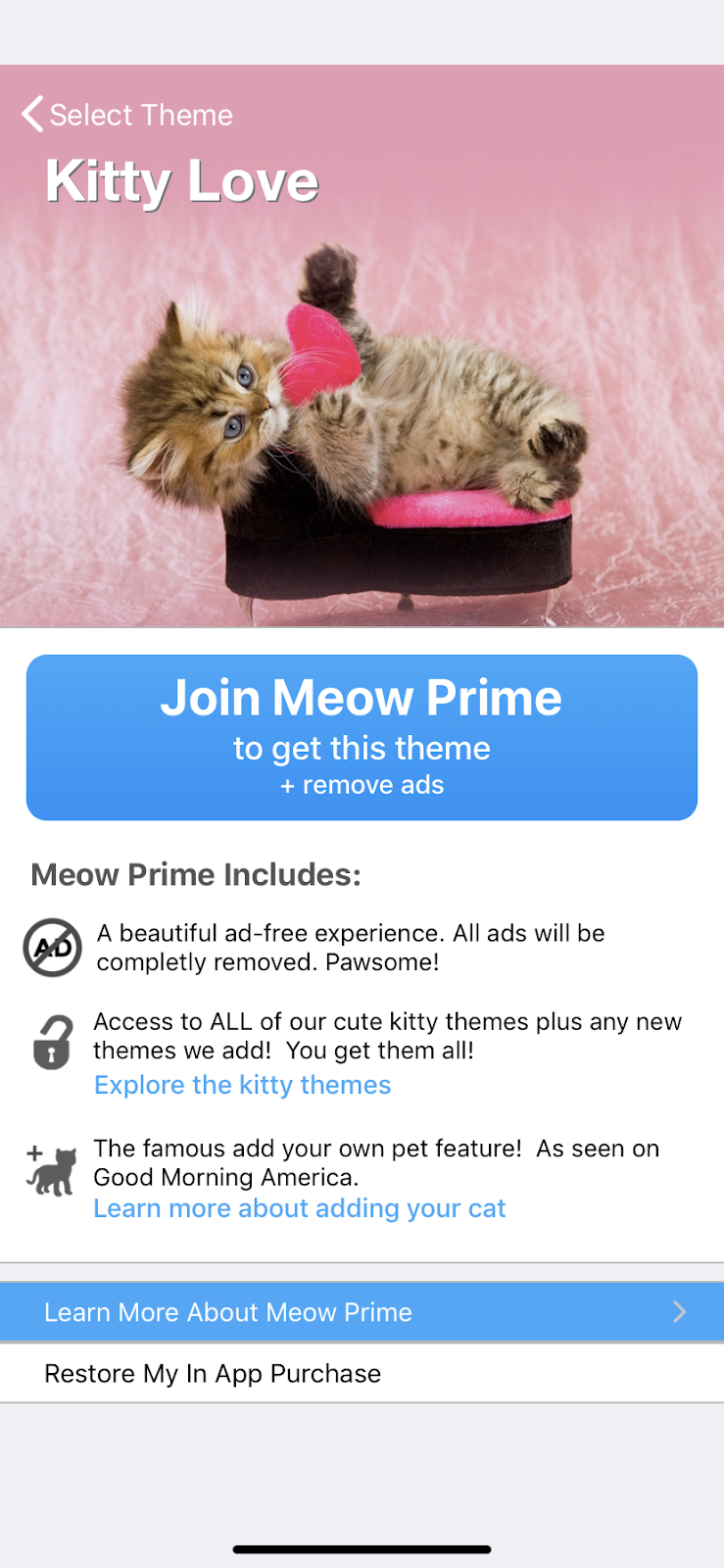
     Unlike the Boo Weather app the ad removal here is a bit different.  To remove the ads users have to sign up for a Meow Prime Plan.  these are subscription packages that range from one month to 6 months to a lifetime subscription plan.  The subscription removes the ads but also gives you access to all of the Kitten themes.

     Kitten themes can be accessed by tapping the Kitten button at the bottom of the main app page.  All users have access to the Default theme which is what the app has upon downloading.  There is a free theme called Crazy Cat Art as well.  There are several other themes but users need to have Meow Prime in order to download and use them.  These themes include Yoga Cats, Sphynx, Holiday Kitties, Kitty Love and many more.  Users can even create their own theme by uploading their own cat images (Requires Meow Prime).  The themes will change the images available for the main page backgrounds.

     The app is cute and does what it is intended to do.  The functionality is simple and it has an easy user interface.  I think the fact that you can upload your own images is a great feature, though I'm not sure I'd wish to pay for it.

Rating: 3.5/5
  • Free
  • Seller: Weather Creative Inc.
  • Category: Weather
  • Size: 124.5 MB
  • Languages: English
  • Copyright: © 2015 Weather Creative Inc.
Rated 4+

Friday, February 1, 2019

Reflectly

Reflectly
     The premise of this app looked interesting.  Supposedly this is an intelligent journaling app that helps you track your moods and keep track of what happens in your life with a little emote that asks you questions and guides you through your self reflection... I have to say though, I was honestly a bit underwhelmed.

     The layout of the application is pretty clean and straight forward and the little emote is a nice touch.  Each day the app asks you how your day was, why you felt it was good or bad, how you felt through out the day, asks you to elaborate and then asks you an optional random question (Such as what you would bring with you to a deserted island).  My issue is the lack of options for the answers to some of these questions.  I never feel the option I choose is accurate, but there just isn't a better option listed.  I'll explain...


  • How was your day today?(Only one option can be chosen)

Really Terrible , Somewhat Bad , Completely Okay , Pretty Good , Super Awesome


  • What made today _(Whatever option you chose above)__? (Only one option can be chosen)

Work , Family , Relationship , Education , Food, Travelling , Friends , Exercise , Other


  • Would you like to elaborate on what happened? (This will take you to a box where you can explain everything that happened that day or to skip it.  The character count is limited.)

Yes! , No thanks


  • How did you feel through out the day? (Only one option can be chosen)

Happy , Blessed , Lucky , Good , Confused , Stressed , Angry , Anxious , Down


  • Then the random question is asked.  Anything from "Do you have a mentor" to "What's the worst money that you've ever spent".  You can type the answer into a text box with limited character count or skip the question entirely.


     After all of this you add a title and it creates your story for the day including a cover image it pulls from its very limited collection.  Expect to see the same images over and over.  On the plus side you can go back to your stories and edit them to add an image or notes for that day's entry.  The image you upload can then be used as a cover photo for that story.

     I don't think there are enough options for how you felt through out the day, and so on... Also I feel users should be able to choose more than one option.  I'm not sure how most people work but I am affected by multiple things through out the day and my mood fluctuates accordingly.

     The app allows more than just the ability to shuffle through old journal entries though.  You can favourite entries you like and check your weekly and monthly Stats.  These stats show you the fluctuation of your overall mood each day through out the week or month on a line graph.

     Users also have a private Profile where they can add a photo, check their achievements, how many stories they've written, and their current streak.  The edit option in the top right allows users to change the colour scheme, adjust your "morning" or "evening" hours so Reflectly knows how to greet you, Logout, export data, or delete your account.

     It should be noted that I am using the free version of this app.  There are paid options that unlock more features such as unlimited stories because... yeah... The free version only allows you to create so many stories.  The paid version also allows you new random questions at the end of each entry instead of it cycling through the same few questions.  I wrote eleven entries and only got asked 3 or 4 different questions.  The rest were all repeats.  The other perks of the paid version are biometric lock and advanced statistics.  Which means the paid version doesn't even improve much on the parts of this app I had issues with.

     It should also be noted that unlocking this app through payment is not a one time payment.  It is a subscription plan, and it is not particularly cheap.  35.99USD for one year or 23.99USD for 3 months.

     All in all the app isn't by any means bad.  However I find it to be too limited for my taste and the subscription option feels unnecessary for this type of application.  The app is simple to use however and could be very useful for those wanting a personal journal without a lot of bells and whistles or who want to keep track of their mood over a long period of time.  Sadly if users wish to do this for a long time they will need to pay a subscription fee which I consider a down side to the app.

Rating: 3/5
  • Free
  • Seller: Reflectly ApS
  • Category: Health & Fitness
  • Size: 34.6 MB
  • Languages: English
  • Copyright: © 2019 Reflectly ApS
Rated 4+

Sunday, January 13, 2019

Pancake Milkshake

Pancake Milkshake
     Anyone who saw the animated film Wreck it Ralph 2: Ralph Breaks the Internet may recall this app being featured.  Even those who never saw the film probably saw the scene in the preview ads with the little girl playing the app on a tablet and Ralph interrupting her game to wreak a little havoc.

     The game is quite simple, really.  Swipe the pancakes toward the bunny and the milkshakes toward the kitty.  As the kitty or bunny are given more and more food/drink, they grow larger.  Eventually the one who has gained too much weight will pop.  Once the character has popped the two switch places on the screen.  The unpopped one remains as large as it was previously while the popped one resets and is small again.

     The game starts slow but the speed steadily increases the longer you play.  The game is over when the wrong food is given to one of the characters (IE the milkshake to the bunny or pancake to the kitty).

     If three of the food items go past the bunny and kitty and end up eaten by the mouth at the end of the track, you will receive a game over as well.

     Once it is game over you receive a high score and are able to start over again from the beginning to try to beat your score.  High scores can also be shared to social media to brag to your friends.

     Personally my strategy for these sorts of games is to only focus on one side.  Everything that doesn't go on that side goes on the other side.  So rather than splitting your concentration between the two, you focus on just one half.  This allows you to go further faster (In my experience).  As there are only the two characters and two food items, this is a simple way to get through the game

     The game is only available in the English language but besides 'Game Over' there really isn't much to read, so it shouldn't matter.

     This is a really basic application with no settings, bells or whistles.  It is cute and easy, while still having that challenge factor to beat one's personal best and keep pushing the limits.  It seems appropriate for any age, though keep in mind there are ad banners at the bottom of the app.

     My only issue is it may be a bit too basic for me.  I'd love to see more characters or menu items added to give the game more variety and challenge.  Otherwise, it is a very cute and fun application.  And don't worry, I don't think Ralph is going to jump in while you're playing and take over... at least let us hope not!


Rating: 3.5/5
  • Free
  • Seller: THREE SMARTERS CO. LIMITED
  • Category: Games
  • Size: 92.1 MB
  • Languages: English
  • Copyright: © 2018 THREE SMATERS CO. LIMITED
Rated 4+

Wednesday, January 2, 2019

Ultimate Kept Man Life

Ultimate Kept Man Life
     Ever wished you could get paid and never have to work a job?  Ever wanted to be married to a wealthy woman and live in a huge house?  Ever wanted to travel to another planet or have an army of clones to do all your tedious chores for you?  Then this is the app for you...

     Now, I have reviewed quite a few apps from this publisher.  They always have great art but generally the apps lack depth or real story.  This app is a bit different.  It has a story and each time you complete a new section you get a bit of story line to go with it.  Upon completing all of the achievements you can get the prologue which is very cute.  I actually enjoyed this app a bit more due to this fact.

     In this application you play a fellow who believes he should not have to work for a living.  He believes other people should serve him and that he should be allowed to simply sit around and be served.  So right off a bat, super great guy, right?  He has a girlfriend who appears to be very wealthy, works for her father's company... If you do things around the house she will even give you an allowance.  Her father, however... hates your guts.

     You will spend your time playing the game trying your best to avoid running into her father.  If you do rn into him he will take every bit of the money you have, causing you to have to save up from scratch.  This guy shows p in the strangest of places... Think you can escape him by travelling to another planet?  Nope, he's there too.  Another dimension is surely a safe space right?  Absolutely not... he can show up there too.  This guy really gets around.


     This is a tap based game but you also have to make smart choices while you play.  You can tap to clean up the house.  Every time you tap you get an amount of money based on your current level.  You increase your level by hitting the Play tab.  You can unlock more places to go in the play tab as you work your way through the story.  There are 15 places to play once you have them all unlocked.  Each place shows you have many levels it will add to your total level value and the percentage chance you have of running into your girlfriend's father at that location.  The lowest percentage is 5% at the Laboratory... oddly less than the 10% chance you have to run into him on Jupiter... Confused yet?  I am.

     You can get through the game pretty easily without worrying about levelling up too soon.  As you don't need to tap to gain money.  You can rely on the automatic money you earn over time.  this increases based on the levels of your individual chores.  This are found in the Actions tab.      Unlocking new actions progresses the story.  Each new action also builds up your automatic money.  Each action has two options.  You can Execute the action which will cost a certain amount of your on hand money but will also increase your money over time.  Executing certain actions to a certain number (say 100 times) are also achievements that you'll need to unlock to finish the game.  I will discuss that in a moment.

     The other option attached to each action is Rank Up.  Unlike the execute option which I'm not sure has a limitation, the rank up option can only be performed a certain amount of times per action.  Once you rank up to 4 stars, you are max rank.  Ranking up requires on hand money as well but will significantly increase the rate your money auto increases.


     Once you have unlocked all of the content you need to finish the achievements to get the last piece of the story.  These can be found in the Achievement tab at the bottom of the main screen.  There are 50 achievements total.  Most of them are pretty easy but some having to do with some of the later content can be time consuming.

     If you click the History tab you can reread any story line you have already unlocked.  This is also where you go to remove ads for a small fee or turn the sound off.  You can also see your basic game stats here such as how much you've completed the game and how much money you've lost (IE has been stolen from your girlfriend's father).  Over my play time he stole 1,268,524,057,517,064,239 from me.

     Players can purchase Money Increasers or watch ads to gain CL Pro 3 items to help them earn more but I never felt the need to do this.

     There are ad banners as the bottom of the screen and ads do tend to pop up now and then during game play.  I don't mind the banners but I wish they would remove the pop up ads that are impossible to close out of unless they finish playing or you close the app.  Half of the time if you let them finish they will crash the app and you'll have to restart it.  The only good thing about this is the app does have quite a few bugs in it, one of which sometimes resets your on hand money after a crash to whatever it was before the app crashed.  That means anything you spent, you get back.  Another bug is the text and numbers sometimes turn to gibberish.

     If this app did not have pop up ads and fixed the glitches/bugs, I would easily give it a 4 star rating.  The story and art is cute and the game play is fun.  A tip for people playing: Use as much money as possible before you go to places on the Play tab.  This way if you do lose money, it wont hurt as much.  Also taping the screen while on location during Play, as your character walks across the screen, makes him jump.  This doesn't do anything for you but it is fun.

Rating: 3/5
  • Free
  • Seller: MASUKACHI, K.K
  • Category: Games
  • Size: 71 MB
  • Languages: English, Chinese, korean, Simplified Chinese, Spanish, Traditional Chinese
  • Copyright: © 2017 MASUKACHI, K.K
Rated 9+ for the following: Infrequent/Mild Cartoon or Fantasy Violence

Saturday, December 22, 2018

Live Portrait Maker: Guys

Live Portrait Maker: Guys
   This is the male counterpart to the original Live Portrait Maker app that specialises in female faces.  Both apps work exactly the same and only include different features and accessories, based on the gender.  So though this review is on the male version, I have played with both versions and the rating and views of features hold true to both.

     The game usage is fairly basic and it is essentially used for creating avatars or characters for role playing purposes.  Double tap the character to open the customisation screen, from there click through the options (Hair, Brow, Node, etc).  You will see the available options for that category appear like in the screen shot to the right.  This screen shot shows the nose choices.  You will then get a few basic customising options for the one you choose, such as colour, size and position on the face.  The nose options give you a way to increase or decrease the size and one that makes it higher or lower on the face.  When you are happy with the selection tap the green tick mark and it takes you back to the avatar with the change you made.  Just double tap again to return to the menu to change another feature.

     Once you have finished creating your character you can save the image by either screen capturing or clicking the camera icon at the top of the menu that appears when you double tap.  You can save as a GIF file or a photo file.

     You can also save avatars you have made (Clicking the diskette icon from the menu) within the app itself by assigning a name and notes to them.  You can then pull these characters back up later if you want to say, change the outfit or hair.  This can come in handy if they are a role playing character you have created.

     Also at the top of the menu is a circle made of two arrows.  This creates a random avatar.  Do not click this mid customising unless you wish to start all over.

     If you are having trouble with the app the question mark icon takes you to the help/about and options menu.  There are no in game sounds so the options are just whether or not you want motion (The character looks up and down & side to side when you tap a direction) or not, and the language choice for the menus).

     The app is very basic which is both good and bad.  It is easy to use but the variety is limited.  I could definitely see more hair and wardrobe options being wanted by users.  The customising menu display is a little off putting with it just showing part of an image overlaying the avatar.  This is especially awkward in customise menus such as Eyes (Where some of the images are just smudges), Lips (Where some images meant to be lip shine just looks like a weird pixel mess) and Effects. The menus could absolutely use an improvement as for as visuals go.  It is often unclear what something is until you tap it.

     That being said, the ads in this free app stay at the bottom and are non-intrusive.  The art itself is visually beautiful and the app does what it is intended to do, which is always a plus.  So though it has its limitations and imperfections, it is still a good app.

     Below you can see a video for the female version of this app from the artist Angela He/zephyo's YouTube channel.  They also have some really great art videos there to check out.


Rating: 3.5/5
  • Free
  • Seller: Angela He
  • Category: Games
  • Size: 212.7 MB
  • Languages: English, French, Japanese, Russian, Simplified Chinese, Spanish, Thai
  • Copyright: © Angela He
Rated 9+ for the following: Infrequent/Mild Cartoon or Fantasy Violence

Sunday, December 9, 2018

10 Billion Husbands

10 Billion Husbands
     Remember 20 Billion Wives?  Well, there is a husband version as well!  It's basically the same app but with male characters rather than female.

     As with the other application, this is a tapper game.  This means you will be spending much of your play time tapping and upgrading while the game can accumulate points while closed that you can use at a later time.  Basically, this is an app you play for a couple minutes here and there when you have free time to waste.

     There are 16 types of husbands on this app.  Everything from Playboy Husbands to Samurai Husbands and everything in between... And everything not in between... There are a few odd ones thrown in.

     As this game works just like the 20 Billion Wives app that has already been reviewed, I'll skip some of the basics.  If you wish to read more about LPS, LPT and such you can do so by reading the other review.

     From the Husbands tab you can view the husbands you have unlocked, unlock new ones, level them, or gift them.  Once you open the fourth item tab for a husband it will show you a special photo that you can view at any time.  You can see some examples of these below.  The Scientist Husband, Sportsman Husband, Wild Husband and Mad Husband are pictured here.


     The Wifeplus from the 20 billion Wives game is in this app as well, only it has been renamed as Husbandplus.  the effects are the same.

     The Achievements tab holds all of your achievements.  Be sure to check it often to claim your achievement prizes right away as they will help you to gain love faster.  The achievements for this app are Submit MR 2000, 3000, 5000, 7500 and 10000 times; Level Playboy Husband - Samurai Husband to level 30, Robot Husband - Husband of Husbands to level 15; Level up Suit Husband - Playboy husband to 30, Wild Husband to 95, Idol Husband to 85, Samurai Husband to 75, Robot Husband to 65, Prince Husband to 60, Space Husband to 55 and Husband of Husbands to 50; Give 3 gifts to each husband (Each counts as a separate achievement); Get married to 1 million, 1 billion, 3.6 billion, 7.1 billion husbands; Marry all husbands.  When all achievements are unlocked you get a special image.

     History allows you to see you Total love Count, how many times you have tapped, what percentage of husbands you have unlocked, the percentage of presents given, percentage of achievements completed and percentage of secret illustration unlocked.  The sound can be toggled on and off from here as well.  Ads can be removed for 1.99USD or you can restore data.

     Unlike the wives app the MRX3 feature is not broken and does only last for 20 seconds.

     There are ads at the bottom of this app, like the other one, but they are easily ignored.  however, ads will pop up as a penalty if you try to pend more love points than you have.  Sometimes closing these ads can crash the app and it will need to be restarted.

     It is a cute application, on par with the wives version.  The graphics are cute and it is fun to unlock the husbands and watch your love points increase.  It is a pretty basic app without a ton of content and can be completed easily within a week at a casual pace.

Rating: 3/5
  • Free
  • Seller: MUSUKKACHI, K.K
  • Category: Games
  • Size: 67.9 MB
  • Languages: English, Chinese, Japanese, Korean, Simplified Chinese, Spanish, Traditional Chinese
  • Copyright: © 2017 MUSUKACHI , K.K
Rated 9+ for the following: Infrequent/Mild Alcohol, Tobacco or Drug Use or Reference.