Showing posts with label doll. Show all posts

Friday, January 11, 2013

Paris Chic: Cute Dress Up game

Paris Chic App for iPhone
     Remember the application I reviewed a while back called Emily's Wardrobe?  This application is very reminiscent of that.  However, it is not made by the same people.  This is an application brought to you by the creators of Chibi Me.
     The artwork is very soft and cute.  I really enjoy the look of this application.  With the exception of some of the clothing.  You can see in the screen shots that some of the clothing is very... poorly done.  For example the blue coat you see to the right.  If the clothing folds and outlines are black or dark brown, but the colour is baby blue, it stands out and looks tacky compared to the soft detail of the other items..  The lines are too hold and take away from the look of the item.
     Alright, art critique aside... This is a cute dress up application (Paper doll).  So let's go over the basics...
     When you begin the application you'll see the loading image to the right and music will begin.  A very peppy tune.  When it;s finished loading you will be on the main dress up page to the left.  She will always begin with that outfit on.
     Starting from the bottom left and moving our way up and around, I will now go over the buttons.
     Wallpapers:  this will change what the background, behind the doll looks like.  Swipe across the bottom to browse the available papers.  There are 17 wallpapers.  Some have furniture and such printed onto it.
     Knickers: There are 13 pairs of under garments.  They all look exactly the same.  they simply have different colours.
     Face: There are 30 faces.  They are divided by eye colour.  The available colours are black, purple/violet, A reddish brown, Brown, Blue and 'dots'.
     Socks:  There are 11 pairs of socks and tights.  You also have a remove option for you to remove the socks/tights.  In case you'd rather not have any on.
     Hair: There are 10 hair styles.  I feel like more hair styles could have been added.  Many are just the same style with another coour. There are 5 actual styles.  The colours available (Not in every style) are brown, blonde, pink, black.
     Outerwear:  There are 9 coats as well as a remove button.  There are 4 different coat styles.  Some with multiple colours.
     Bottoms: There are only 7 bottoms available.  One pair of denim trousers and a few different colour skirts.  There is a remove option here as well.
     Tops: A remove option and 15 tops.  There are 9 styles, some with multiple colours available.
     Accessories: A removal option is available here.  Sadly only one accessory can be added at a time.  So you can't have glasses and a scarf.  it's one or the other.  There are only 10 accessories. Three necklaces, a pair of hair clips, sunglasses, 3 scarves, A pair of earrings and some glasses.
     Hats: Oh course there is a remove option again.  There are only 5 hats.  Most are all the same hat with different colour choices.  There are 2 unique hats.
     Shoes: A removal option is available.There are 12 pairs of shoes.  Sneakers, slip on shoes, boots.  No pumps.
     The music note button is a Music Toggle.  You can turn the music on or off with this button.
     The Heart takes you to a screen that shows you the website URL.  It's a bit... dull looking.  I think they could have done more here.
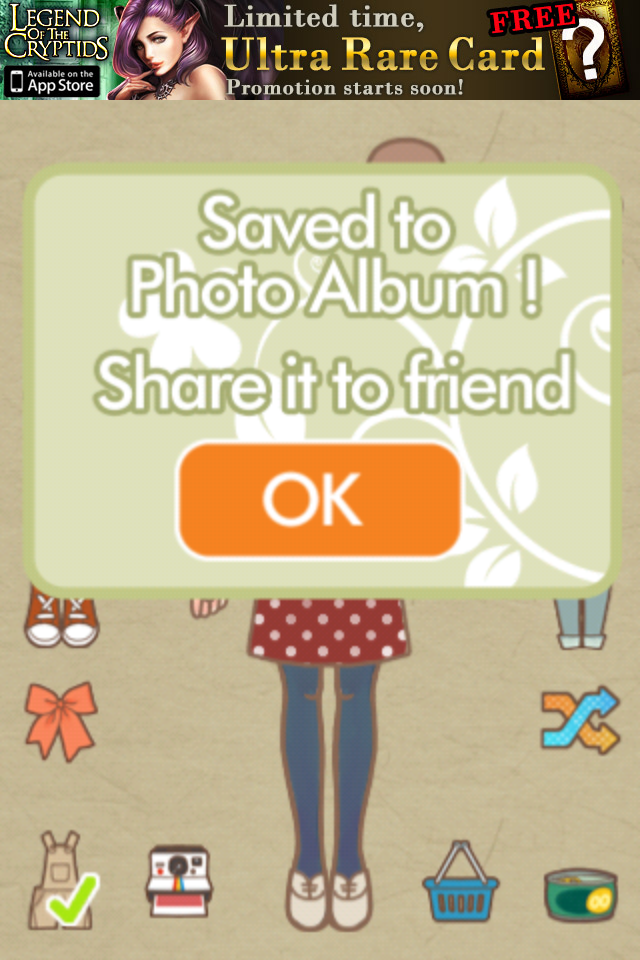
     The Diskette is a Save function to save the outfit to your device.
     The little bird can share your creation via Twitter.
     The Dice give you a random outfit.
     The last button is the Shoppe option.  There is one free pack available here.  Some of the items I mentioned in the counts were from this pack as I installed the free pack before counting.  There is also a "Cute Pack" (56 items), Halloween Pack (35 items) & Cute Pack 2 (65 Items).  Each pack costs 99 cents.
     This is a cute and simple application.  I don't entirely know if I consider those add on packs to be worth 99 cents each.  It doesn't look like it took long to draw the clothing as they aren't shaded at all.  But the look is very unique.
     The application is free so if you like paper dolls you might enjoy this.  I liked the soft colours it had.  Not sure if i'd consider this to be Paris Chic fashion, but it's cute, nonetheless.
Rating: 3/5
  • Free
  • Category: Games
  • Updated: Dec 07, 2012
  • Version: 3.0
  • Size: 33.1 MB
  • Language: English
  • Seller: Ceren Gazioglu Majoor

Tuesday, January 1, 2013

Princess Story

Princess Story App for iPhone
     Want to be a princess?  Or perhaps you'd just like to dress one up?  This is an interesting game where you dress, train, feed and primp your very own princess.  make her look like you.  Make her look how you wish you looked.  Make her look crazy.  The sky is the limit!
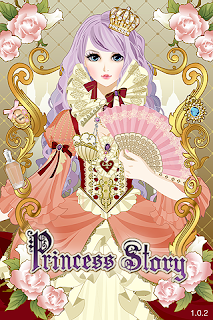
     Before I get into this, I want to point something out.  You see how the princess is holding a fan in that launch screen?  The app page also has a screen shot of the actual doll in the game holding a fan... There are no holdable items in this game.  That is very misleading.  That's going to take points away.
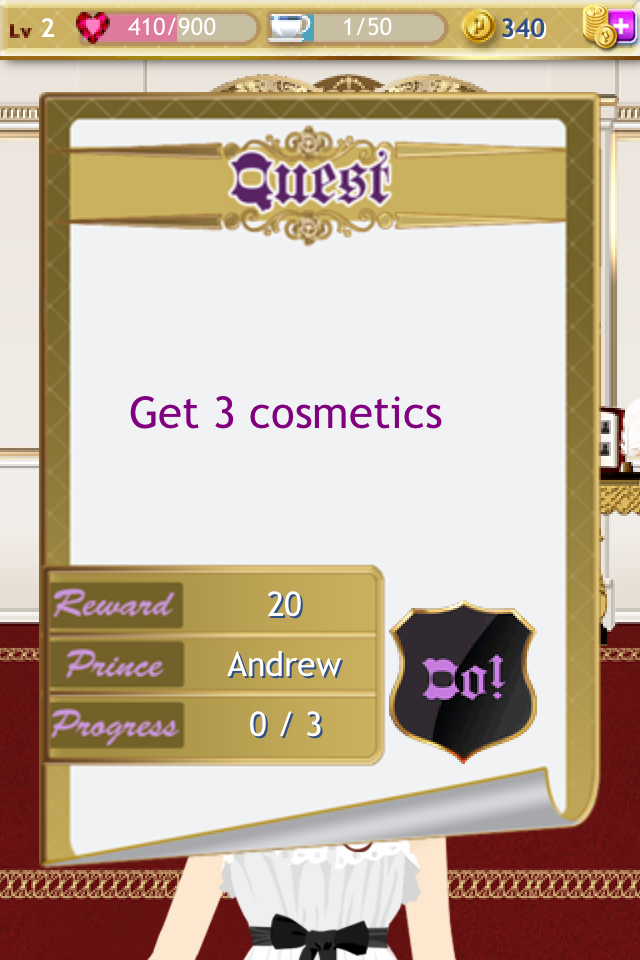
     You start off in your princess knickers.  You have a steward who helps you to learn the basics of the game.  She gives you quests to complete while you are playing.  She stands directly outside of your bedroom door.  You can always find her when you are in the hallway. She is the only person out there, besides the chef.  If the book she's holding is glowing, you have a new quest.  If the book standing on a pedestal is glowing, you have a new prince.
     The quests are simple.  It usually consists of collecting clothing or jewelry.  Buying new hairstyles and planting roses.  You have plenty of time to complete each quest.  I don't believe there is a time limit.  You can check your progress at any time by going back to her and clicking her.
     When you complete a quest, you'll receive a photo of a prince.  I have to say that most of these princes are very questionable.  They look a bit androgynous.  Examine the photo and turn it around for information about that prince.
     I have to note here that I completed every quest.  There are no quests left.  However, I am missing the last prince.  After I completed the last quest the application didn't grant me the last prince.  So this is very unsatisfying.  I hate having the gap there. (There are 8 princes in total, I'm missing number 6)
     Along with your princes, you'll receive money and experience for completing quests.  Money is spent on purchasing hair, eye colour, makeup, skirts, crowns, shoes, etc.  You can also spend it to purchase food from the kitchen (Why am I paying for my meals when I'm the princess & I live here?...)
     Below are some examples of the princes.
     You may wonder what the experience is for, right?  Your princess has levels.  There are 10 levels total.  You begin at level 1.  You gain experience by completing quests, planting roses or studying your subjects.  Going up levels will open up locked items in the shoppes for your to purchase.  You will also get a special crown for free, for each level you achieve.
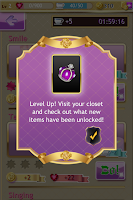
     You can see an example of this to the right.
     There are several things to study.  However, you can go straight to the tough subjects.  The princess unlocks more things to study each time she levels.  You can always go back and study older subjects if you like.  Studying gives experience and money.  You can also get stars for any subject.  Get 3 and you have mastered that skill.  The higher the level of the subject, the more energy it costs to study it.  I will list the subjects in order by level.  The level they are unlocked on is the amount of energy it takes to study.  So level 5's skill takes 5 energy to study.
     1. Smile
     2. Table Etiquette
     3. Singing
     4. Archery & Horseback Riding
     5. Charity Work
     6. Figure Skating
     7. Arts & Crafts
     8. Royal History 101
     9. Musical Instrument
     10. Ballroom dancing
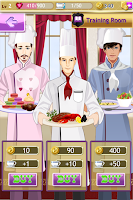
     Energy replenishes after time.  However, if you want to gain more energy right away, you can do so by eating food.  Go to the hallway and click on the kitchen door with the chef standing outside of it.  In the kitchen there are 3 chefs.  Each with a different dish.  Each dish costs a different amount of money and will provide a different amount of energy.  You can see what the price and energy is by clicking the screen capture to the left.
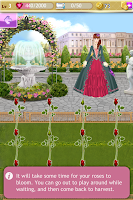
     I mentioned planting roses.  This is something you can do at any time.  There are 2 kinds of roses (They look the same).  10 minute roses and 1 hour roses.  The 10 minute roses will take roughly 10 minutes to grow to full maturity.  The one hour ones, an hour.  Don't you wish it were that easy in real life?  After they mature you tap them or swipe across a row to pluck them.  I assume you sell the roses, because they give you money.  They are free to plant, however.
     While they are growing you can roam about, leave the application, etc.  Just come back at the right time to pluck them.

     Let's discuss the bedroom.  You will start in the bedroom when you open the application.  You have a few options that you can choose from, while in this room.
     The screen to the left is the default style bedroom.  Clicking the paint roller gives you the option to change the way the room looks.  You can spend game money (Not real money) to change the floor, window, wallpaper or purchase furniture.  Apparently she sleeps on the floor.  She's the strangest princess, isn't she?  There is also only one furniture set available.  I purchased it.  It's very cute.  But costs 500 money if I recall.
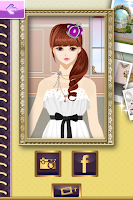
     The disc icon will start a memory game.  You get one free play a day.  You can purchase more plays by spending the game money on tokens.  Turning over 2 matching cards wins a set.  Each set gives you 10 money.  You have 3 failures available.  If you fail 3 times, it's game over.  I've managed to turn over all but 4 cards before game over before.  I love memory games.
     The last icon is a little camera.  You can take a photo of your princess and share it via Facebook or save it to your device.  This has to be done for one of the quests.
     Alright, I know that the important part to most people downloading this is of course the clothing, makeup, etc.  So let's discuss that part now.
     Starting in the hallway, the furthest door to the left is the Clothing door.  Here you can purchase Stockings, Shoes, Bottoms and Tops.  Most bottoms have corresponding tops.  You can mix and match them, but sometimes it looks odd.  I went through almost half the game without any shoes... I didn't buy any until I needed to for a quest.  If you wear a big skirt, you usually can't even see the shoes or stockings anyway.
     Here is the count for items available.  Stockings: 10 (I bought 2), Shoes: 10 (I bought all), Bottoms: 31 (I bought 9), Tops: 26 (I bought 10)
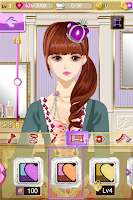
     In any dressing room, clicking the top right icon of the square will toggle back and forth between full view and portrait view of your princess.  This makes matching clothing easier.
     Remember that certain clothing is only available at certain levels.  You can always buy something from a level below your own, but you can't even try on clothing from a level above your own.
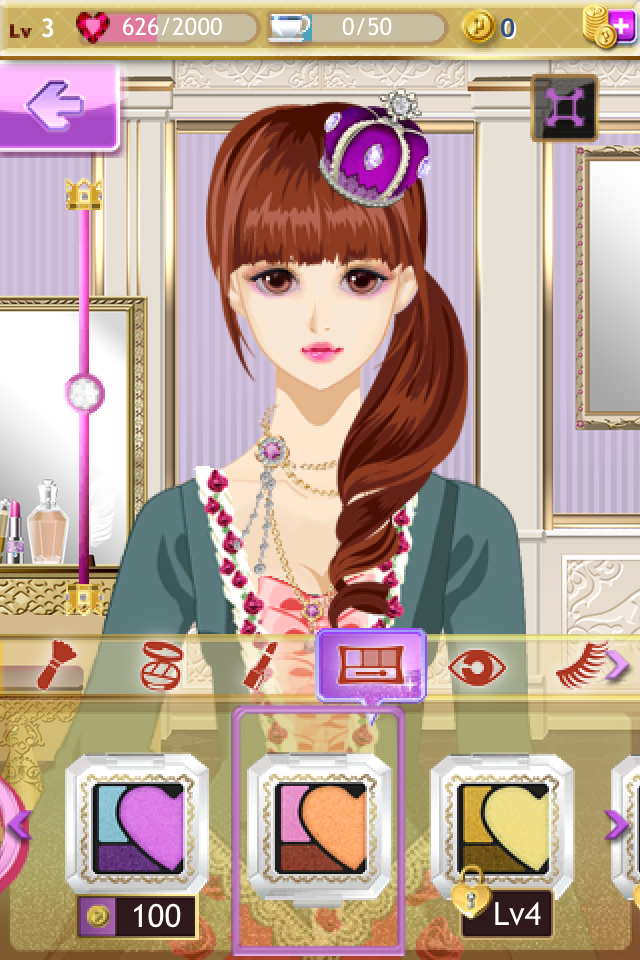
     The next door is the Beauty room.  This is where you play with the doll herself.  Her skin, eyes, hair, etc.
     The categories and numbers are as follows Base: 4 (I have 2), Blush: 6 (I have 1), Lipstick: 6 (I have 4), Eye Shadow: 14 (I have 1), Contacts: 8 (I have 1), Eyelash: 14 (I have none, I didn't like how they looked), Eyebrow: 2 (I have 1), Hair: 64 (I have 15).  The eye shadow, blush and lipstick have a toggle on the side to increase or decrease how strong the colours are.
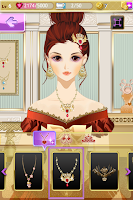
     The next room (And last room to cover in this review) is the Jewelry room.
     This is where you go to find your crowns when you gain a level.  You can also purchase different hair accessories, as well as necklaces and earrings.
     The numbers for these items are as follows.  Necklaces: 31 (I have 12), Earrings: 20 (I have 6), Head Accessories (Crowns, etc): 32, (I have 18).
     Now that the basic game play is covered, I wanted to go over some technical issues.
     The game does crash now and then.  Once it crashed so badly it locked my iPhone up entirely.  I wasn't even able to power it down.  I couldn't adjust the volume, lock the screen, restart, nothing.  I had to sit there and listen to that bloody song until my battery drained (I forgot to mention, there's background music.  Very midi, very repetitive  gets annoying pretty quick.  However, the music itself isn't bad.  Just gets tiresome after a few loops).
     If you leave the app in the background for a couple minutes, lock your screen, etc... then come back to the application it's going to restart.  The load screen will pop up and you'll be back in the princess' bedroom. The annoying part about this is that when you start the application up you'll get a pop up advertisement.  it covers the screen and has to be closed to continue.  This can get irritating.  There's also an ad banner at the bottom of the Training room page.  It disappears after a few seconds though.  Which is good because it covers the button for level 10 training.  You have to wait for it to disappear before you can click it.
     During the intro to the game quest, the steward's talk box sometimes glitches and says "Null".
     I already mentioned the final quest not granting me my last prince.  I'll never know who prince number 6 was!... Or why I should even care... Because other than having their photos and info to look at, I can't do anything relating to them.
     In case you're wondering how to mute the music... you can't.  You have to mute the phone itself to do this.  There is no sound toggle on this application.  It desperately needs one though.
     Don't want to earn your in game money?  There is always a small icon in the top right to use real money to get in game money.  You can even do ad offers to get some for free.  However, I find this pointless.  You can easily get all the money you need by playing the game.  it doesn't take long to beat either (Gain every level, complete every quest).  After that it's just collecting items for your own enjoyment.  but that can be tedious after a while.
     The graphics in the game are lovely.  Though the artist could maybe work on making men look a bit more like men and not manly women.  The clothing and beauty variety is very nice.
     I enjoyed the application.  It has some issues.  I'd like to see them fixed.  I don't see it happening though. I feel like the issues will get worse with later versions of iOS, since it hasn't been updated since July of 2012..
Rating: 3/5
  • Free
  • Category: Games
  • Updated: Jun 01, 2012
  • Version: 1.0.2
  • Size: 25.2 MB
  • Languages: English, Chinese, Japanese, Korean
  • Seller: Sino Joy Group Limited

Monday, December 17, 2012

My Pretty Pony

My Pretty Pony App for iPhone
    Like unicorns?  Pegasus?  My Little Ponies (The new version, style wise)?  This is the application for you. You can mix and match many different colours, hair styles, accessories and such to create your own unique pony!
     This is a paper doll style application.  You have a basic doll, you customize it, dress it, save it.  Move on to make another one.
     This application is landscape only.  No portrait mode.  However you can turn it upside down, and it will spin to accommodate which side of the phone you prefer to play on.
     Let's see the options on the launch screen you can see to the right.  We'll start with the bottom options.  More: Provides other applications you might enjoy downloading.  I didn't see anything interesting on the very small list. My Favourites: The ponies you have made that you added to your favourites list.  From here you can delete, Facebook post, email or save the pony pictures.  Shop: Allows you to add more variety to your wardrobe.  There are currently 2 different sets.  Each set is 0.99. Restore Purchases: This is for if you have removed the application or changed devices.  You can restore the things you've purchased back into the application.
     Then there's the big button... PLAY!
     When you press play you'll see 3 carousel horses.  One for each set.  The middle one is the default set (Also there's music that will eventually drive you insane if you don't click something to make it stop).  The other 2 are unlocked by purchasing them through the "Shop" option.  So let's click the default set in the center, and go from there.
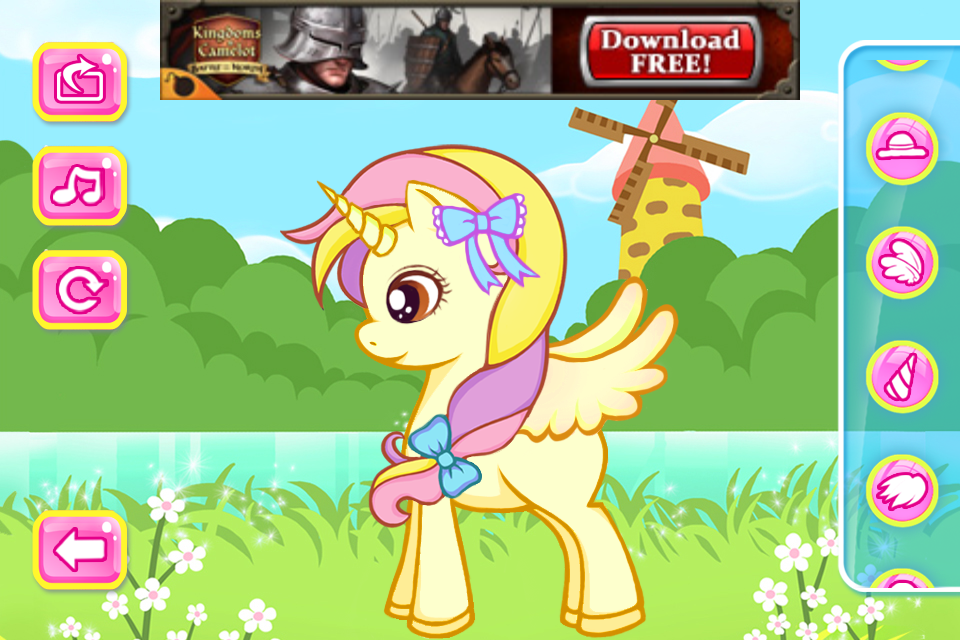
     The music is now different.  Much more soothing and something that I can listen to in the background for a while.  If you do get tired of the music, there are options on the left side of the screen.  one is to get rid of the music  The other two options are refresh (Make the pony a naked default base again), as well as the save pony option.  below those is the back button.
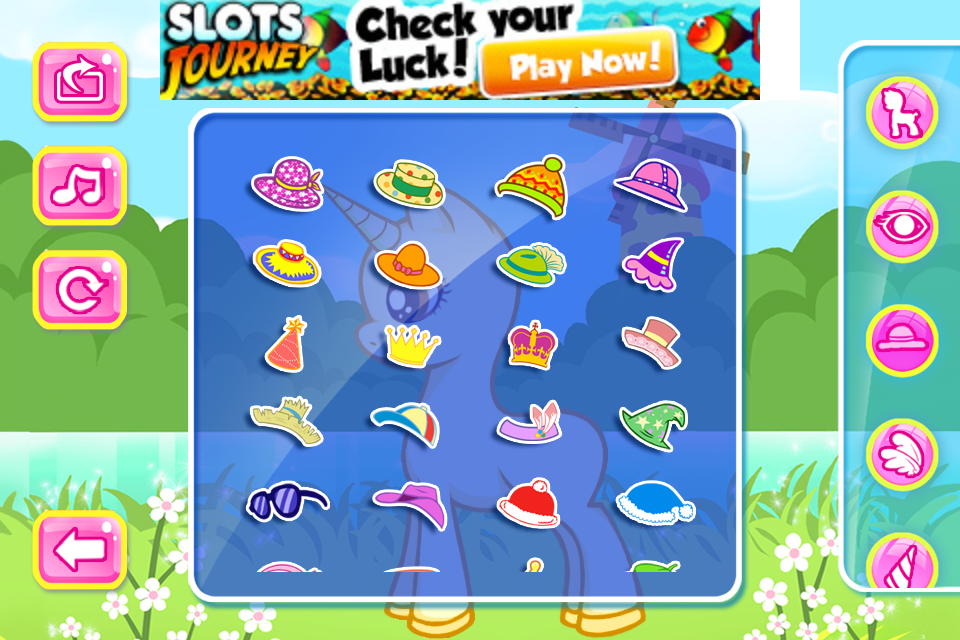
     On the right side are the various categories for things you can add to your pony.  You don't need to add everything!  Don't want wings?  Don't add them.  Don't want accessories?  Don't add them.  It's entirely up to you.
     The options are as follows, from the top down.  Pony Colour (23), Eye (20), Hat (37), Wings 19), Horn (10), Mane (26),  Tail (24), Shoes (19), Tops (23), Tattoo/Stamp (26), Accessories (21).  What I don't like is that there is no "remove" option.  So if you don't want your horse to have a horn, you can't remove it.  If you add wings then decide to remove them, you need to start over from scratch to remove them.  I really believe they should add a remove item option.
     With all of the available items, you can create some really interesting ponies.  Below are some samples.
     If you notice that the side panel looks like there's not a lot of categories.  You can swipe up and down to scroll the categories.
     All done?  Click the save option on the left.  It will put your pony in a cute frame and give you some options on how you wish to save your pony.  You can post it to Facebook, send it via email, save it to your device or add it to your favourites.  Change your mind?  Click the back button to go back to your pony customization screen.
     It's a cute application, and free.  There's even some Santa Clause style holiday items you can put on your horse.  Want to make a Christmas pony?  It could be fun!  The music is alright, the art is smooth and clean.  There's a lot of variety which is always a plus.  The additional sets are reasonably priced.  Other than the lack of an option to remove items, I'd say its a really great application.  It's worth a download if you like My Little Pony style things.
Rating: 4/5
  • Free
  • Category: Games
  • Released: Nov 09, 2012
  • Version: 1.0
  • Size: 36.5 MB
  • Language: English
  • Seller: Shake It Inc.

Sunday, October 14, 2012

Emily's Wardrobe

Emily's Wardrobe App for iPhone
     This is a cute digital paper doll.  Little Emily is a cute young lady who enjoys dressing her best.  Can you mix and match her wardrobe to give her an attractive new look?
     I really enjoyed the art style for this application.  The soft dull colours and the delicate curves of the drawings are very attractive to me.
     This app will load a tutorial when you start it up.  It's just a quick and simple image that shows the function bubbles, in case you have forgotten them from your previous use of the application, or if this is your first time using it.  Music will also start.  It's a catchy little MIDI tune.
     From bottom left to right: Overalls button changes her look.  The Polaroid camera is for saving and sharing your finished look.  The shopping basket is for purchasing new items for her wardrobe.  Lastly the speaker button is for sound and credits,.
     Let's start with the dressing up option (The first button).  As you can see from the screen to the left, the clothing is categorized by type.  Hair styles, Tops, Dresses, Trousers, Shoes and so on.  Click the type of clothing item you wish to switch out and the available options appear at the bottom of the screen. Swipe to scroll through them.  The item count is as follows: Backgrounds (9), Dresses (6), Legwear (4), Shoes (5), Hair Styles (3), Cover (7), Top (5), Trousers (4).  The accessory button has various inner categories.  Those counts are as follows: Headware (11), Glasses (3), Earrings (2), Necklace (3), Bracelet (4).
     You can also click the bottom right corner button on the dress up screen to randomly choose a new outfit.
     You can also play with little Emily.  Shake your device and she will become dizzy.  Poke her and she has 2 different reactions.  Petting/rubbing her has 2 different reactions.
     Saving your design with the save and share feature is simple.  Just click it and it saves to your device.  There is no auto upload feature in this application for Facebook or Twitter sharing.
     There are currently 2 clothing sets your can purchase to add to Emily's wardrobe.  Purchasing clothes not only gives you more than 50 new items to mix and match with, but it also removed the ad banners.  At 99 cents each I would say they are very reasonably priced.  One for Spring and one for Winter.
     The ad banners display at the top of the app.  This is common for a free application.  It doesn't interfere with the apps functionality.  None of the ads seem inappropriate so this application is safe for all ages.
     I really enjoyed this application.  Though I'm not much for playing with digital dolls too terribly often, I really did enjoy mixing and matching little Emily's clothing.  I do wish she had a few more hair styles, but it's possible the extra clothing sets come with more hair styles too.
     I think this application is a good download for little fashionistas in training or anyone who enjoys dress up games or paper dolls.  Who knows, you might even get some good ideas on what you can pair up in your real wardrobe.
Rating: 5/5
  • Free
  • Category: Games
  • Updated: Aug 15, 2012
  • Version: 1.4
  • Size: 10.3 MB
  • Language: English
  • Seller: Baosen Han

Wednesday, September 12, 2012

CreateShake: Kitty Cat

CreateShake: Kitty Cat App for iPhone
     Have you ever wanted to create your own unique kitten?... Me neither... But now you can!  This application allows you to create your own little kitten with it's own unique look.  Not very creative?  That's alright.  Simply shake it around and it will make one for you with random pieces.  Not happy with that look?  Shake it again!
     When you start the application, it launches your gallery.  The first time you load it, you will have an empty gallery of course.  So the screen will look as it does to the right.
     Click the "new" button and get started choosing features for your new kitten creation.
     The entire kitten is customizable.  From the eyes, the nose, the ears, fur, fuzziness, etc... all the way to collars, wings, props and bows.
     I have posted some sample screens below.  Click them to view the larger view of the screen.  The first one I was in the process of creating by choosing the individual bits.  The second and third are from shaking the app to see what it came up with.
     There are over 200 different bits to mix and match.  So it's highly unlikely that someone else will end up making the same kitten as you.
     Once you are happy with the look of your new kitty cat, click the save button at the top of the screen, on the right side.  This will save your creation to your gallery.  You can give your kitten design a name as well.
        Once you are in your gallery you can click on any of your creations to view it larger.  From there, there is a share icon in the bottom left corner.  You can email it, Facebook it, save it to your device, twitter it or Tumblr it.
      Even though this isn't something I'm going to be spending a lot of time using, I do think it's a cute application.  The artwork is cute and I like how you can change the colours of each item.  I think this app would be especially useful for entertaining a small child.  It could also be used to make cat versions of your friends for fun.  The expressions that you can give the cats are very entertaining and make me smile.  I don't really have any suggestions for improving this application.  but of course as always with apps like this, updates with more items is always something that would be nice.
Rating: 4.5/5
  • Free
  • Category: Entertainment
  • Released: Oct 06, 2011
  • Version: 1.0
  • Size: 11.0 MB
  • Languages: English, Chinese, French, German, Japanese
  • Seller: Seremeres Games